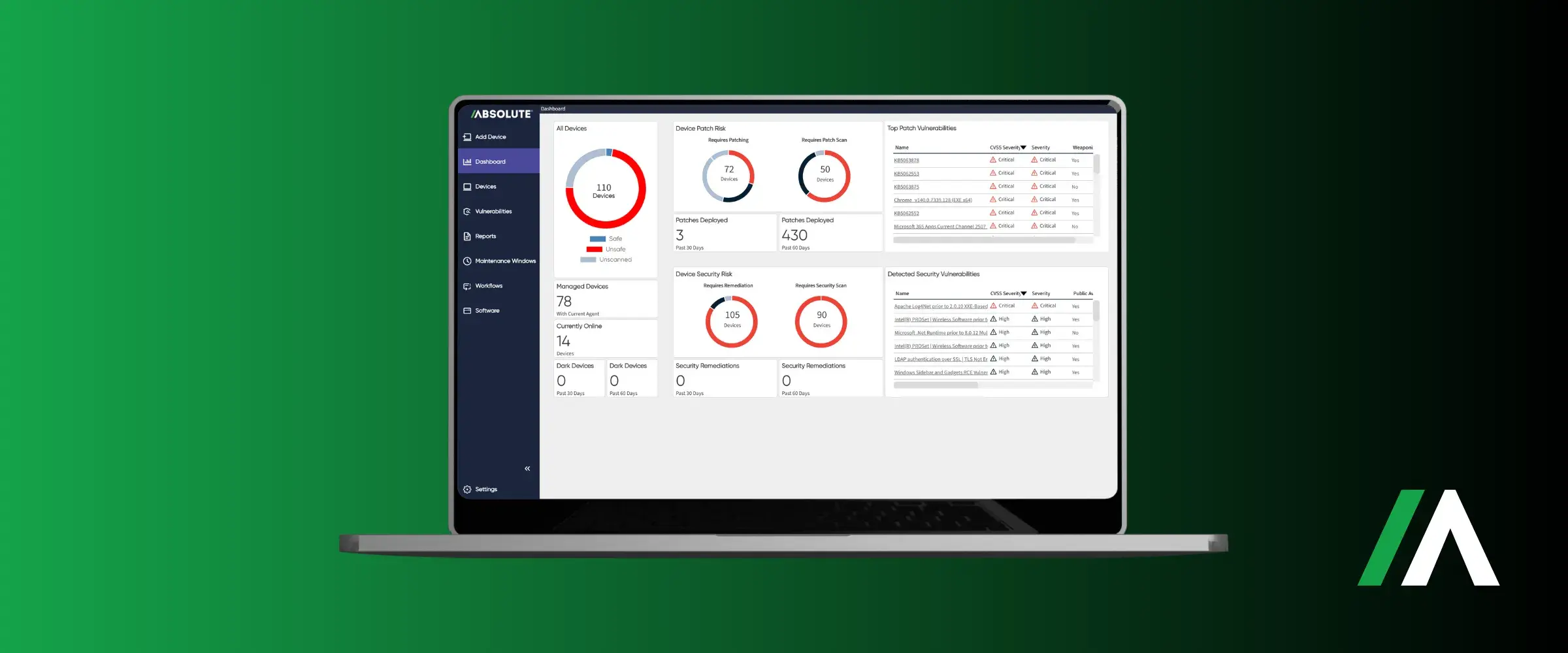
What Is Patch Management?
Patch management is the process of identifying, testing, and deploying software updates, known as patches, across an organization's computers, servers, and mobile devices. A patch is a targeted fix released by a software vendor to close a specific security vulnerability, repair a bug, or improve stability. Patches are typically narrow and short-term by design, meant to hold a system over until its next full version release.
In practice, patch management is less a single action than an ongoing operational cycle: new patches are released constantly, across every operating system and application an organization runs, and each one has to be evaluated, tested, scheduled, and confirmed before it can be considered handled. Skipping or delaying any one of those steps is what turns a routine update into an open door.
Scale is what makes this genuinely hard. A single laptop with a handful of applications might have a dozen patches available at any given time across its operating system and software. Multiply that by thousands of devices, each potentially running a slightly different mix of applications and versions, and the number of unique patch-and-device combinations an organization has to track runs into the hundreds of thousands. That's the scale patch management exists to manage.
The term "patch" itself is a holdover from the earliest days of software distribution, when fixes were literally patched onto existing code rather than shipped as full replacements. That lineage still shapes how patches behave today: a patch is meant to be small, targeted, and fast to apply, in contrast to a major version upgrade, which can touch the entire codebase and typically requires far more planning. Treating the two the same, and subjecting every patch to the scrutiny a major upgrade deserves, is one of the quieter reasons patch backlogs grow out of control.
Patch management is often discussed alongside Vulnerability Management vs. Patch Management: How They Work Together, and the two are related but not interchangeable. The next section covers the distinction briefly; see that article for the full picture.
Patch Management vs. Vulnerability Management
The two terms get used interchangeably often enough that it's worth being precise. Vulnerability management is the broader, continuous process of discovering, assessing, and prioritizing security weaknesses across an environment, everything from misconfigurations to missing patches to risky default settings. Patch management is one specific way of fixing a subset of those weaknesses: applying a vendor-released update to close a known flaw.
Put another way, vulnerability management answers the question "what needs attention?" Patch management answers "how and when do we actually fix this one?" A mature vulnerability management program will surface issues that patching can't solve at all, an exposed configuration, an overly-permissive account, a service that shouldn't be running, which is why patch management on its own is necessary but never sufficient as a complete security strategy.
The practical implication is organizational as much as technical. Vulnerability management typically sits with a security team that's measured on risk reduction across the whole environment. Patch management execution usually sits with IT operations, measured on uptime and user disruption. Programs that treat these as one undifferentiated workflow, rather than two connected but distinct responsibilities with their own owners and metrics, tend to be the ones where critical patches stall in handoff.
The Patch Management Process, Step by Step
A patch management program, whether run manually or through automation, moves through the same core stages every cycle. How well each stage is executed, not just whether it happens, is what separates an organization that stays ahead of its patch backlog from one that's perpetually behind.
Identifying Available Patches
The cycle starts with visibility: knowing which operating systems and applications are running across every device, and tracking which of them have new patches available. This sounds simple until an organization accounts for every third-party application, every remote laptop that hasn't checked in for weeks, and every device a employee bought without IT's knowledge. Incomplete visibility at this stage quietly undermines everything that follows.
Assessing and Prioritizing Risk
Not every patch deserves the same urgency. A critical remote-code-execution flaw in an internet-facing application warrants same-day attention; a minor stability fix for an internal tool can usually wait for the next maintenance window. Effective prioritization weighs the severity of the underlying vulnerability, whether it's already being exploited in the wild, and how exposed the affected systems actually are, rather than patching in whatever order updates happen to arrive.
Testing Before Deployment
A patch that breaks a line-of-business application is its own kind of outage, which is why patches typically get tested against a representative sample of systems before a full rollout. This step is also the one most commonly skipped or rushed under pressure to close a critical vulnerability quickly, a trade-off that sometimes makes sense for an actively-exploited flaw but carries real operational risk when applied as a default habit.
Deploying at Scale
Once a patch is approved, it has to reach every applicable device, including the ones that are asleep, off-network, or halfway across the world at the moment it's released. Deployment usually happens in stages, a pilot group first, then wider rings, with scheduled maintenance windows that limit disruption to end users while still closing the exposure window as fast as reasonably possible.
Verifying and Reporting
A patch that was pushed isn't the same as a patch that installed successfully. The final step confirms that each device actually received and applied the update, flags the ones that failed for follow-up, and produces the compliance record that audits, regulators, and cyber insurers increasingly expect to see on demand rather than reconstructed after the fact. Devices that fail to confirm installation need to re-enter the cycle automatically rather than falling out of sight once a push has gone out; a patch program is only as strong as its handling of the failures, not the successes.
Why Patch Management Matters More Than Ever
The Shrinking Gap Between Disclosure and Exploitation
The window organizations have to patch before attackers strike has been shrinking for years, and recent data suggests it has effectively disappeared. Google Mandiant's M-Trends 2026 report, based on more than 500,000 hours of frontline incident investigations, found that exploitation of vulnerabilities was the single most common way attackers gained initial access in 2025, at 32% of intrusions. Separately, multiple analyses of that same research cycle put the mean time to exploit a new vulnerability at roughly negative seven days, meaning on average, active exploitation is already underway about a week before a patch even exists.
Meanwhile, the time it actually takes organizations to patch has been moving in the wrong direction. The 2026 Verizon Data Breach Investigations Report puts the median time to patch at 43 days, up from 32 days the year before. Put the two trends together and the exposure window, the gap between a flaw becoming exploitable and an organization actually closing it, is widening at exactly the moment attackers need less and less of it.
The Cost of Staying Unpatched
The backlog this creates is enormous and growing. Veracode's research on security debt found that the average time to fix a software flaw has stretched to 252 days, up 47% over the past five years, with the best-performing organizations fixing half their flaws in about five weeks compared to over a year for the slowest. On the government side, the CISA Known Exploited Vulnerabilities catalog grew to 1,484 entries in 2025, yet organizations fully remediated only 26% of KEV-listed vulnerabilities that year, down from 38% the year before. The KEV catalog itself exists specifically because these are flaws with confirmed real-world exploitation, not theoretical risk, which makes that declining remediation rate one of the more concerning data points in current vulnerability research.
The Business Cost Beyond Security
The cost of a slow patch cycle shows up well before a breach does. Extended remediation timelines mean more audit findings to explain, more cyber insurance renewal conversations that start from a position of weakness, and more time IT spends firefighting urgent, late-stage patches instead of working through a predictable schedule. Several of the frameworks referenced throughout this piece, including the incident-reporting rules covered in cyber resilience regulation generally, now expect organizations to show evidence of how quickly known vulnerabilities get closed, not just that a patching process exists on paper.
What Belongs in a Mature Patch Management Program
Maturity here isn't about having the most tooling, it's about whether the four elements below are consistently true across the entire device fleet, not just the subset that happens to be easiest to manage. Most patch programs get at least one of these right; the gap between a good program and a genuinely resilient one is usually in whichever one got skipped.
Operating System and Third-Party Application Coverage
The operating system is only part of the surface. Browsers, PDF readers, collaboration tools, and dozens of other third-party applications each carry their own patch cadence and their own vulnerability history, and attackers target third-party software precisely because it's less consistently patched than the OS itself. A program that only covers Windows or macOS updates and ignores everything else installed on top of them is covering a fraction of the real exposure.
Risk-Based Prioritization
Treating every patch as equally urgent either creates alert fatigue that causes teams to patch inconsistently, or forces a slow, first-in-first-out queue that leaves critical flaws exposed behind minor ones. Mature programs weigh severity, exploitability, and actual exposure, a vulnerability on an internet-facing server gets closed faster than the same flaw on an air-gapped internal tool, rather than treating a patch list as one undifferentiated queue.
Staged Rollouts and Maintenance Windows
Patching an entire fleet simultaneously is how a single bad update becomes an organization-wide outage. Rolling patches out in stages, a small pilot group, then progressively wider rings, catches compatibility problems before they're everywhere, while scheduled maintenance windows keep disruption to a predictable, communicated schedule instead of surprising users mid-task.
Off-Network and Remote Device Coverage
A patch management process that only reaches devices currently connected to the corporate network misses exactly the devices most likely to be running stale software: laptops that have been offline for weeks, field devices, and remote workers' machines. Coverage that depends on a device being on the network at the right moment isn't full coverage, it's a bet that the riskiest devices happen to check in on schedule.
Patch Management and Compliance
Most major security and privacy frameworks reference patching directly or indirectly, whether through explicit timelines for closing known vulnerabilities or broader requirements to maintain evidence of a working vulnerability management process. A mature program treats the audit trail, what was patched, when, and how it was verified, as a standing output of day-to-day operations rather than something assembled from scratch whenever an assessment is scheduled.
Common Patch Management Challenges
None of the challenges below are new, and none of them are solved purely by buying better tooling. Each one is really a gap between how patching is supposed to work on paper and the operational realities, staffing, legacy debt, device sprawl, that make the paper version harder to execute than it sounds.
The Disconnect Between Security and IT
Security teams identify what needs patching and why it's urgent. IT teams own the servers, schedules, and user relationships that make deployment actually happen. When those two functions operate with different priorities and no shared workflow, patches that security flagged as critical can sit in an IT backlog for weeks, not because anyone disagreed on the risk, but because nobody owned the handoff.
Patch Prioritization Overload
A single Patch Tuesday can bring well over a thousand fixes across an organization's software stack. Without a clear, risk-based method for separating the handful that matter today from the hundreds that can wait, IT teams are left guessing, or worse, defaulting to whatever order an update feed happens to list them in.
Legacy and End-of-Life Systems
Software that's reached end of life stops receiving patches at all, regardless of how many new vulnerabilities are discovered against it. Organizations running legacy systems they can't yet retire need compensating controls, isolation, restricted access, enhanced monitoring, because patching simply isn't an option anymore for that software, and pretending otherwise leaves a permanent, unpatchable gap.
Remote and Off-Network Devices
The same devices that are hardest to patch, laptops in the field, remote workers' machines, devices that spend long stretches off the corporate network, are often the ones carrying the most sensitive data. A patch management approach built only for an always-connected office fleet quietly leaves its highest-risk devices undercovered.
Testing Time Versus Speed Pressure
Every patch cycle involves a trade-off between testing thoroughly and closing an exposure window quickly, and the pressure to skip testing rises fastest for exactly the patches where skipping it is most risky: critical, actively-exploited vulnerabilities that demand same-day action. Teams without a fast, reliable way to pilot a patch against a representative sample end up choosing between two bad options, deploy untested and risk an outage, or test fully and leave a known exploit open longer than necessary.
Exception Handling
Some devices genuinely can't take a given patch on schedule: a system running software that's incompatible with the update, a device mid-use during a scheduled maintenance window, a machine that's been flagged for replacement rather than continued patching. Without a documented, time-bound exception process, these edge cases tend to default into permanent exclusions that nobody revisits, quietly growing the population of unpatched devices that a compliance report won't necessarily surface.
How Automation Changes Patch Management
Manual patch management, checking for updates, testing them by hand, pushing them device by device, simply can't keep pace with the volume and urgency described above. Automation changes the equation on several fronts at once: it scans continuously instead of periodically, applies consistent risk-based prioritization instead of relying on individual judgment calls, and can push a tested patch to thousands of endpoints in the time it would take to manually update a handful.
Automation doesn't remove the need for judgment, decisions about risk tolerance, maintenance windows, and exceptions still belong to people, but it removes the parts of the cycle that don't need a human making the same routine call for the thousandth time. That shift is what closes the gap between a 43-day median time to patch and the near-zero exploitation windows described above.
The most effective implementations also combine automation with cloud-based management, so patching doesn't depend on a device being physically on a corporate network or VPN to receive updates. A laptop sitting unopened in a bag for three weeks, or a device that was reimaged and never fully reconnected to management tooling, represents exactly the kind of silent gap that manual, network-dependent patch processes are most prone to missing until it's rediscovered during an incident.
Measuring Patch Management Effectiveness
A patch management program is difficult to improve without a small set of metrics that get tracked consistently over time, rather than reported only when leadership asks. The four below cover the most common blind spots.
Mean time to patch (MTTP). How long does it actually take, from a patch becoming available to it being fully deployed and verified? This is the single clearest signal of whether a program is keeping pace or falling behind.
Patch compliance rate. What percentage of eligible devices are fully patched at any given moment, not what percentage received a push, but what percentage confirmed successful installation.
Coverage of off-network devices. Patch compliance measured only across devices currently on the network tends to look better than the real picture; tracking the devices that haven't checked in recently is what surfaces the actual gap.
Remediation rate for actively exploited flaws. Specifically for vulnerabilities on lists like CISA's KEV catalog, which exist precisely because exploitation is already confirmed, not theoretical.
None of these metrics mean much as a single snapshot. Tracked monthly and reviewed against the previous period, they turn patch management from a task that either happened or didn't into a measurable, improvable operational function, which is also what turns a vague "we patch regularly" answer in an audit into something an organization can actually demonstrate with evidence.
How Absolute Approaches Patch Management
Absolute Resilience for Security automates patch management across Windows, Mac, and Linux endpoints, including the third-party applications most patch programs underweight, like browsers and collaboration tools. New patches for operating systems and common third-party applications become available for deployment within 24 hours of release, with context-based prioritization that targets the patches carrying the highest risk first rather than working through an undifferentiated queue.
The off-network coverage gap described earlier is where Absolute's approach differs most from conventional patch tooling. Absolute Persistence embeds a persistent connection directly in the firmware of supported devices, below the operating system, so that connection survives even if the OS is reimaged, wiped, or never reconnects to a corporate network. Because patch and compliance status travel over that same firmware-embedded connection rather than depending on a device being on a managed network at the right moment, IT teams retain visibility into exactly the devices, laptops sitting unused for weeks, remote field devices, machines that fell off standard management, that conventional network-dependent patch tools lose track of first.
Absolute Resilience for Automation extends this further for organizations that want vulnerability remediation itself automated into workflows, rather than triaged manually once a patch is ready to deploy. Reflecting that approach, Absolute Security has been named a Leader and Outperformer in the GigaOm Radar Report for Patch Management Solutions three years running. For a deeper look at patch management best practices beyond the automation layer, see Patching: Cybersecurity's Quiet MVP You Can't Ignore.
Conclusion
Patch management isn't a background chore, it's one of the few security controls with a direct, measurable line to breach risk. The organizations closing the gap fastest aren't working harder, they've replaced manual, device-by-device patching with automated, risk-based deployment that reaches every endpoint, including the ones that spend most of their time off-network.

FAQs
Patch management is the process of finding, testing, and installing software updates that fix known security flaws or bugs across an organization's devices, before those flaws can be exploited.
Vulnerability management is the broader process of finding and prioritizing all security weaknesses, including ones patching can't fix. Patch management is specifically the process of applying vendor updates to close the subset of weaknesses that have an available patch.
Critical, actively-exploited vulnerabilities warrant same-day or next-day deployment after testing; lower-risk patches are typically bundled into regular maintenance windows, often weekly or monthly, depending on an organization's risk tolerance.
Unpatched systems remain exposed to known, often publicly documented vulnerabilities. The 2026 Verizon DBIR puts the median time to patch at 43 days, while Mandiant's research suggests active exploitation can begin before a patch even exists, leaving a real and growing window of risk.
Yes, and increasingly it has to be. Automated patch management continuously scans for new patches, applies risk-based prioritization, and deploys tested updates across every endpoint, including devices that are off-network, far faster than any manual process can match.