Multi-tenancy and RBAC



The problem
Least privilege is easy to design and hard to maintain. Every new hire, new device, and new customer means another manual permission update — and the gap between “who should have access” and “who actually does” widens with every change.
One stale permission is a breach waiting to happen
A technician with lingering access to a former customer isn’t just an oversight — it’s a path to that customer’s sensitive data. A contractor who still sees production devices isn’t a formality — it’s co-mingled data waiting for an auditor to find. The cost of stale permissions isn’t administrative. It’s exposure, and it’s a compliance violation with your name on it.

“It has everything we need and it’s user friendly. The ability to look at the whole list of devices — see what’s behind on updates, what’s not been online, what needs to be scanned — it’s been very helpful.”
Permissions that move with your fleet
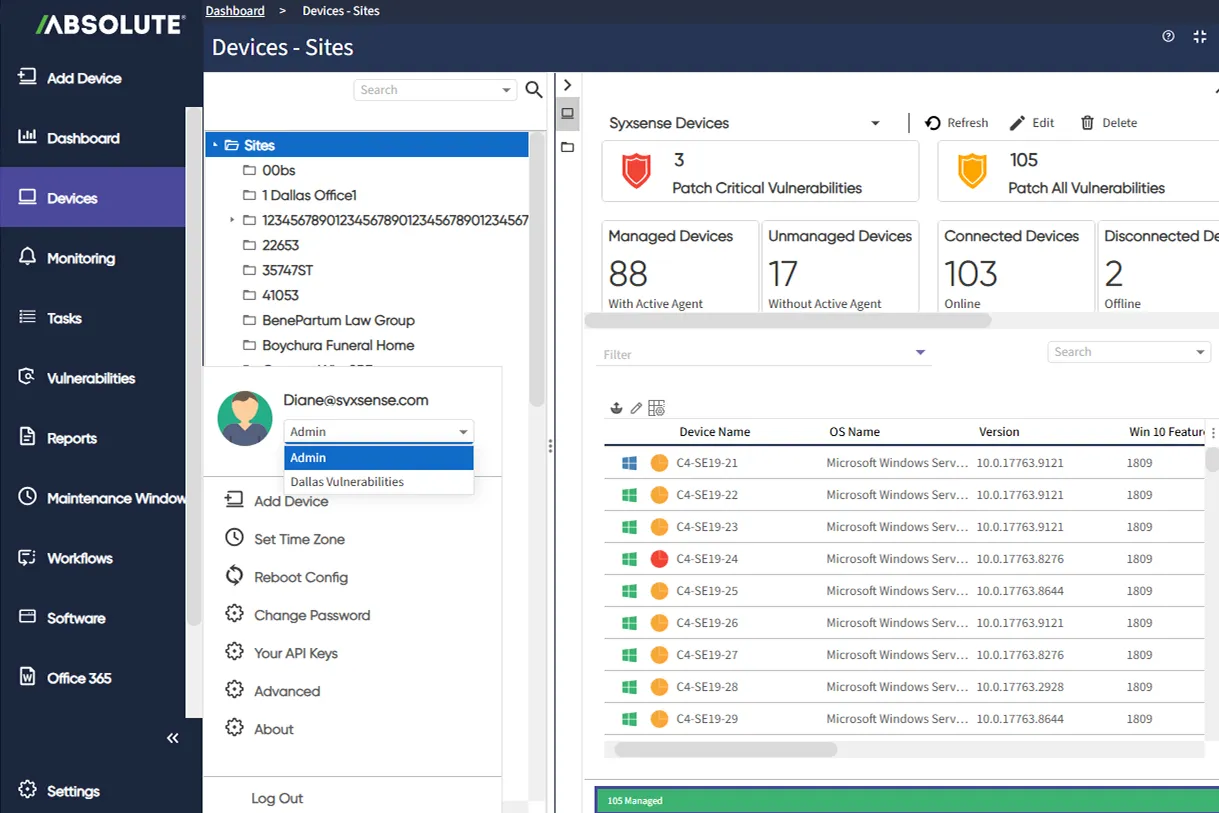
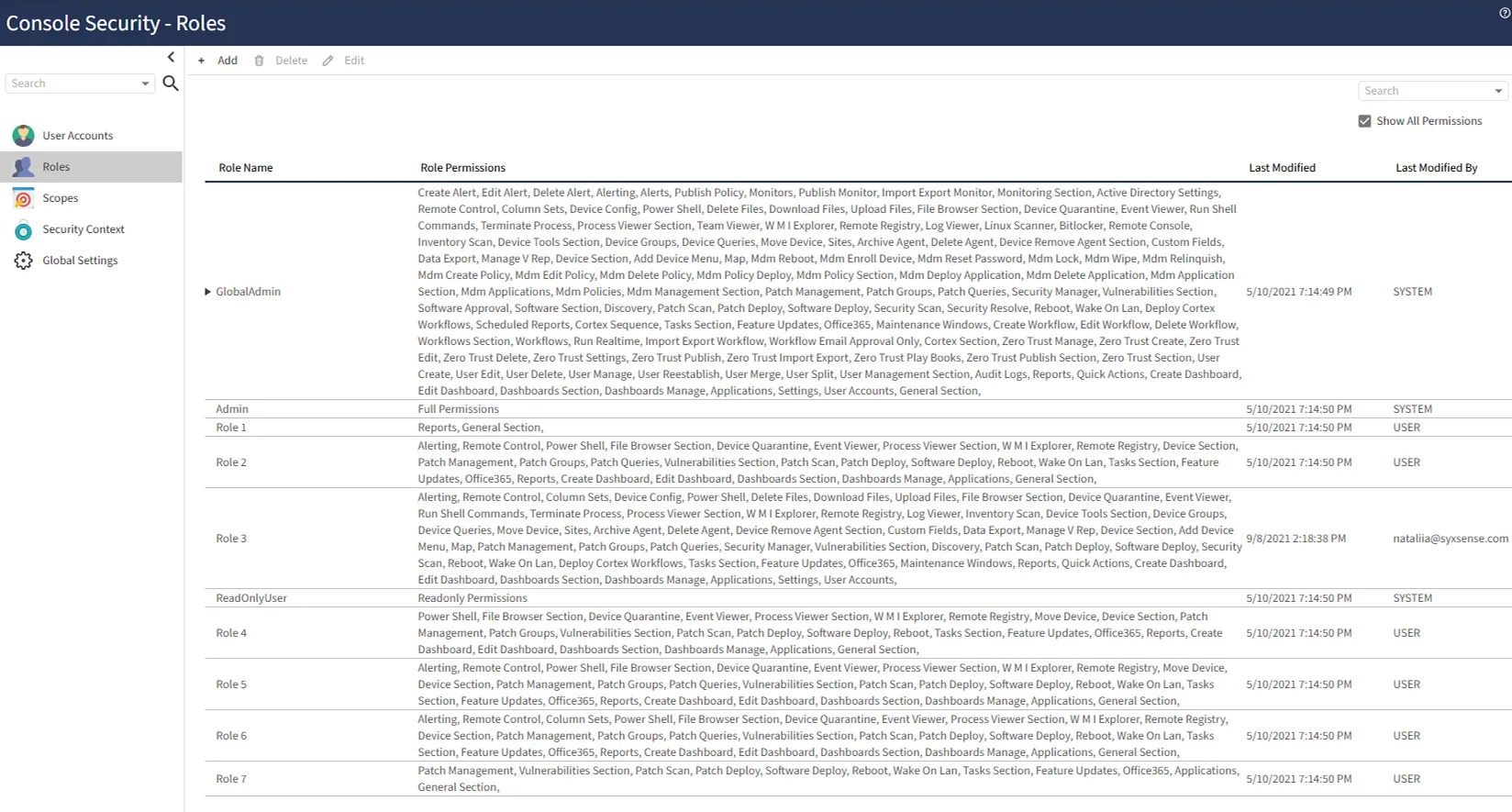
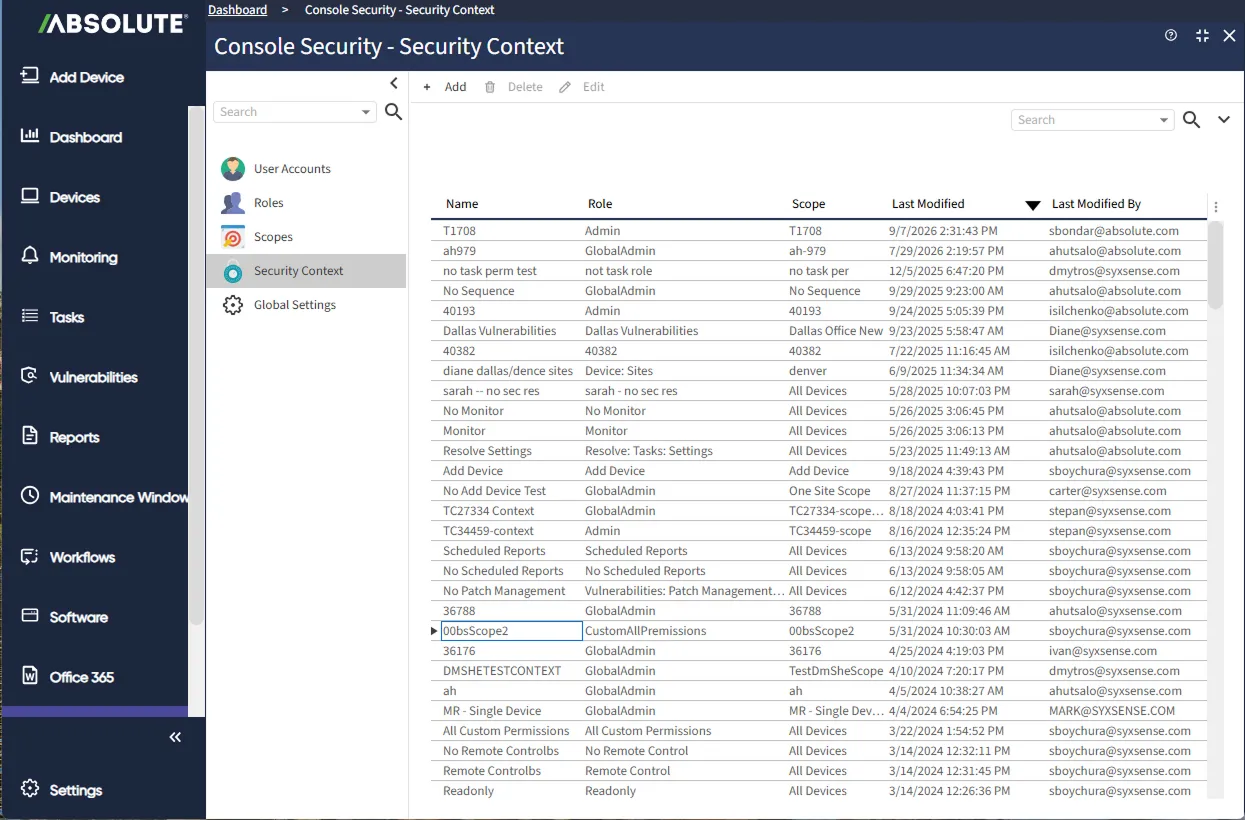
Two independent layers do the work: Roles control which features a user can reach, Scopes control which devices they can see. Scopes target a dynamically changing group — built from a site, group, or query — so new devices are included automatically as they appear. Pair any Role with any Scope to create a reusable Security Context, and users can hold several and switch between them without logging out. Console access is protected by MFA, SSO, IP and country restrictions, password policy, and full audit logging.
Essential capabilities for access control and delegation
Grant or restrict access by function — patching, security, workflows, dashboards, settings, and more.
Define exactly which devices a user can see, independent of how those devices are organized.
Scopes target a changing group built from a site, group, or query, so new devices are covered automatically.
Pair any Role with any Scope, save it, and reuse it — users can hold several and switch without logging out.
Assign device tools individually — File Browser, PowerShell, Quarantine, Event Viewer, Remote Registry, and more.
MFA, SSO, IP and country login restrictions, password policy, and full audit logging with login alerts.
RBAC controls who can act. Multitenancy controls what’s isolated. Both are built in, at different layers of the platform.
Who has access is a board-level question now
Security leaders are measured on whether the business keeps operating through disruption — and that depends on knowing exactly who can reach what. This guide covers the four pillars boards are asking about.
- See how access governance fits into business resilience.
- Learn what boards expect security leaders to be able to prove.

Delegate Without Losing Control
Hand someone exactly what they need, and have it stay true as people and devices change.
- Set it once: Scopes update themselves as the fleet moves.
- Reuse it: Save any Role and Scope pairing as a Security Context and switch without logging out.
- Prove it: Full audit logging on every login and action.

Go deeper on access control and governance
Common questions about multi-tenancy and access control
Roles control which features a user can use. Scopes control which devices they can see. They’re set independently, then combined.
No. Scopes target a dynamically changing group built from a site, group, or query, so new matching devices are included automatically.
A saved pairing of a Role and a Scope that can be reused. Users can hold several and switch between them without logging out.
Yes. Each tool is assigned separately — File Browser, PowerShell, Quarantine, Event Viewer, Process Viewer, WMI Explorer, Log Viewer, and Remote Registry.
Multifactor authentication, SSO, IP and country login restrictions, password length and expiration policy, and full audit logging with attempted-login alerts.
Yes. A scope can be built around a site, group, or query, so a customer or division’s devices stay covered as they change.
Yes. Full audit logging covers logins, including attempted logins, with notification.