

Absolute + Dell Technologies: Endpoint Resilience Built In
Factory-embedded in Dell commercial PCs, Absolute keeps every device visible, secure, and recoverable.
Dell builds it in. Absolute makes it stick.
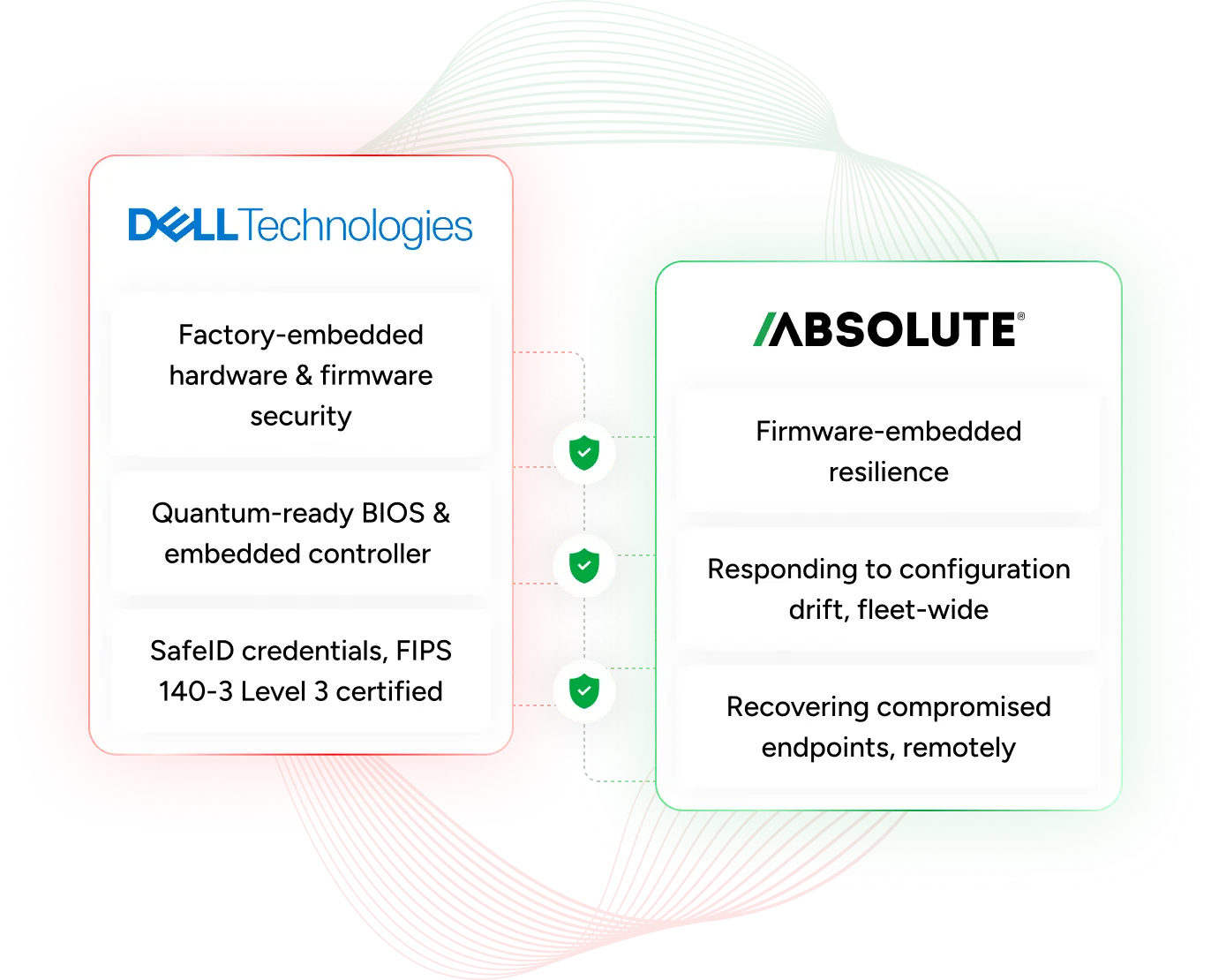
Dell's Trusted Workspace builds security into the silicon and firmware of Dell commercial PC’s. Absolute Security extends that foundation with a resilience layer that survives OS reimages, drive swaps, and tampering. Absolute Resilience automatically repairs critical protections like encryption, VPN, and EDR agents when they are disabled, removed or changed.
How Absolute and Dell work better together
As your fleet moves to AI PCs, Dell hardens the device from the silicon up and Absolute keeps it recoverable, so devices stay visible, compliant, and protected no matter what happens.

Through Dell Custom Factory Integration, Absolute Persistence® is factory enabled, so devices arrive ready to activate.

Because Absolute lives below the OS, it survives reimaging, drive swaps, and tampering. Absolute Resilience repairs security tools automatically.

Absolute Secure Endpoint and Secure Access can be selected at the point of purchase for individual Dell devices or by volume across a fleet.

Dell integrates its below-the-OS PC telemetry with Absolute, adding firmware-level insight to the device health IT already monitors.
Freeze, wipe, or recover any Dell device, on or off the network
Absolute Secure Endpoint gives IT a persistent, firmware-level connection to every Dell device in the fleet. Monitor device health, enforce compliance policies, and remotely freeze or wipe a compromised device — even if it's offline, reimaged, or has had its hard drive replaced.

ZTNA that heals itself when disrupted
Absolute Secure Access delivers resilient Zero Trust Network Access for remote and hybrid Dell users. Because it's underpinned by Absolute Persistence, the connection self-heals if disrupted or tampered with — no VPN backhaul required.

Mapped to the Cyber Resilience Framework
Here is how Dell and Absolute map to Gartner’s Cyber Resilience Framework: anticipate, withstand, recover, and adapt. Both contribute to every phase, not just the one they lead.



Anticipate
Dell's Secured Component Verification and secure design lifecycle reduce risk before a device ever reaches an employee's desk.

Absolute Persistence is factory enabled through Dell Custom Factory Integration, so IT can activate it the moment a device is deployed.
Dell's supply chain controls and factory-enabled Absolute Persistence mean protection can start at deployment, not after an incident.
Withstand
SafeBIOS, the quantum-resistant embedded controller, and SafeID keep the device's hardware and firmware trustworthy under attack.
Absolute Persistence operates below the OS, and self-heals; Absolute Resilience automatically repairs tampered tools like encryption, VPN, or EDR
SafeBIOS guards the firmware while Absolute keeps the security stack above it running, so attackers have to beat both layers at once.
Recover
Dell's off-host BIOS verification flags tampering, and Dell BIOS Recovery restores a known-good firmware image.
If a device is compromised or unresponsive, Absolute Rehydrate remotely restores it to a trusted, compliant state in minutes.
Firmware and full device state recover together, returning a trusted, compliant device to service without a truck roll.
Adapt
Dell continuously updates BIOS-level protections — including post-quantum cryptography — to stay ahead of emerging threats.
Absolute's telemetry gives security and IT teams the fleet-wide data to see what failed, why, and where policy needs to change.
Dell's below-the-OS telemetry and Absolute's fleet data together show where risk starts, so policy improves before the next incident.
Concept per Gartner, “Gartner’s Cyber Resilience Framework: Anticipate, Withstand, Recover and Adapt, Arthur Sivanathan, Lampis Alevizos, Phillip Shattan, Richard Addiscott, 21 May 2026, ID G00843075. GARTNER is a registered trademark and service mark of Gartner, Inc. and/or its affiliates in the U.S. and internationally and is used herein with permission. All rights reserved.
A Dell laptop is stolen. Here's what happens next.

Device goes missing or offline
A Dell laptop is lost, stolen, or taken off the network, and its security software goes dark with it.
Absolute stays connected
Firmware-embedded Persistence keeps reporting location and health, even after a factory reset or drive swap.
Freeze, locate, or wipe remotely
IT locks down the device, tracks it, or wipes sensitive data remotely, without ever touching it physically.
Security tools self-heal
If encryption, VPN, or EDR was disabled, Absolute Resilience repairs it automatically once the device reconnects.
Scenario: a stolen or compromised Dell device
Resolved remotely, no truck roll
The gaps hiding in your fleet
Absolute's 2026 Resilience Risk Index shows how often endpoint security quietly fails, and why firmware-embedded resilience changes the math for Dell fleets.
Frequently asked questions
Everything you need to know about Absolute and Dell's endpoint security partnership.
Absolute’s Persistence® technology is factory-embedded in Dell commercial devices, including Latitude, Precision, and OptiPlex models.
Not unless your organization has activated it. A BIOS setting of Enabled only means the device is ready. Activation takes an Absolute license and agent, which you can add at purchase, per device or across a fleet. Choosing Permanently Disable can't be reversed.
Because Persistence is embedded below the operating system, it survives OS reinstalls, factory resets, and drive replacements, then automatically reinstalls itself.
Absolute complements Dell's built-in hardware and firmware protections by adding a persistent software layer, so IT gets visibility and control that survives even if OS-level tools are compromised.
Yes. Absolute maintains a live connection to Dell devices on or off the network, so IT can locate, freeze, or wipe a device remotely, even without physical access.